Habit Tracker With a Garden: What to Look For Before You Start
See real screenshots of Habit Garden’s read-only browser demo. Compare its synthetic sample cards with account-based use before choosing a garden habit tracker.
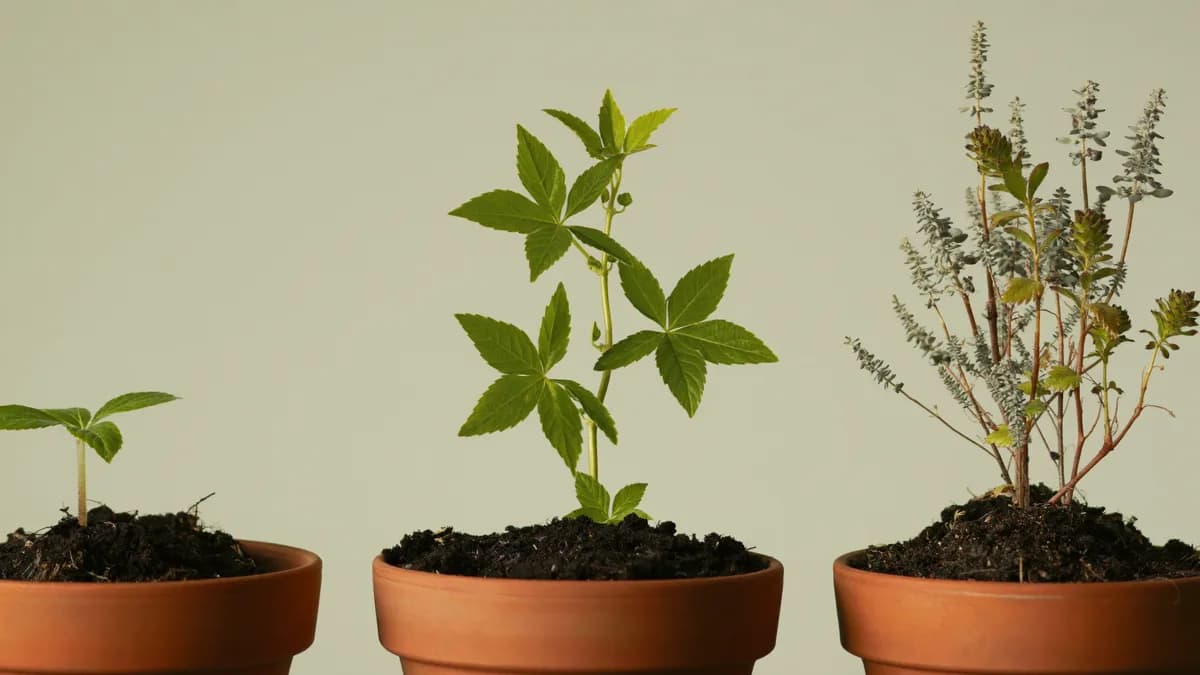
A habit tracker with a garden pairs a real-world action or check-in with something growing on screen. The important question is not how many plants it contains. It is whether the action you want to repeat and the reward you see make sense together.
Different garden or companion apps serve different purposes. A focus timer, a daily reflection tool, and a self-care pet can all look playful while asking you to do very different things.
Start with the action, then choose the reward
Before choosing a tracker, write down the action you want it to support. “Reflect on my day for a few minutes” is different from “stay off my phone for a work session.” A beautiful garden will not resolve that difference for you.
Use these questions when you try a product:
- What do I actually record? A completed task, time spent focusing, or a reflection?
- What changes afterward? Look for a visible response you can explain without reading a long manual.
- What happens if I miss a day? Find the product's rule before assuming progress is permanent or a streak resets.
- How much setup comes first? Try one action before building an elaborate routine.
- What information leaves my device? Read the current privacy policy and account requirements.
- Can I use the version being demonstrated? Screenshots may belong to a beta or a different platform.
There is no single best answer for everyone. Some people want a strict timer. Others want a short reflection without a countdown.
Three different approaches to playful progress
Forest describes a focus timer that grows a tree during concentration; its site explains that using other apps can cause the tree to die. It is an example of linking the reward to a focus session.
Finch frames self-care through caring for a pet. It is a useful contrast if you prefer a companion to a garden.
Habit Garden's public website presents five daily life signals with feedback and garden growth. The browser and limited iPhone beta are separate experiences, so choose the version you intend to use before comparing individual features.
These descriptions come from the products' public websites, checked October 2, 2026. They are not a hands-on performance ranking, a clinical comparison, or a claim that one app produces better habits.
What Habit Garden is designed around
Habit Garden is the 5 Minute Life Tracker. Its public browser experience groups daily check-ins into:
- Daily grounding: gratitude and reflection.
- Meals: noticing the meals in your day.
- Movement: recording how you moved.
- Sleep and recovery: making room for rest.
- Stillness: quiet, focus, or breathing space.
The central idea is to connect the check-in with feedback and a visible garden response. The website describes scores, plain-language labels, and useful highlights. These are app feedback, not a medical assessment.
Do not assume every screenshot or internal development feature is in the public beta. In particular, compare the experience you can open now rather than choosing an app based on a future release.
See the browser demo before signing in
Open the read-only sample garden. You can view it without signing in or connecting an Oura Ring. The screen labels its data as synthetic: these are fictional example values, not measurements from a person.
The public demo checked on October 22, 2026 shows three cards:
- Readiness: 82, labeled “Steady.”
- Sleep: 74, labeled “Steady.”
- Activity: 91, labeled “Doing well.”
Each card pairs a character with a score and a text label. Use the preview to decide whether you can read the labels and understand the layout on your own screen. The three demo cards show a narrower view than the five daily life areas described above.
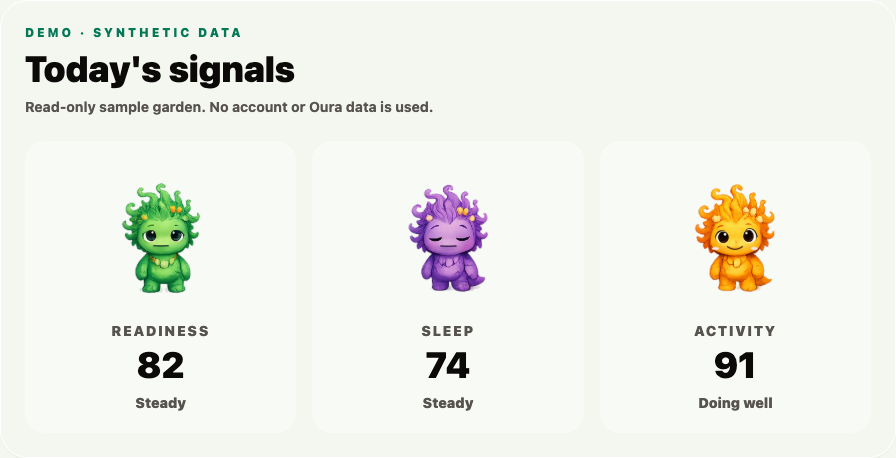
Actual browser demo captured October 22, 2026 at a 1440-pixel viewport. The scores are synthetic examples.
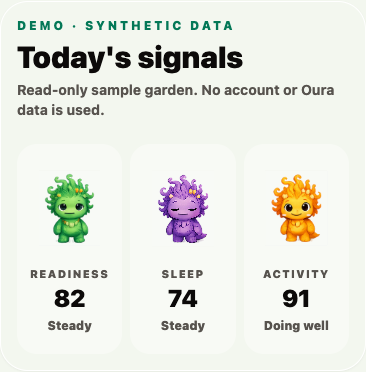
Mobile browser capture from the same date. The demo keeps the three cards side by side.
What you can try in the demo
Open the sample on the device you expect to use. Read each score alongside its label, then compare the character illustrations. You can resize the browser and inspect the layout; the demo does not offer controls to change the scores, record a check-in, save progress, or connect Oura. Its fictional values stay the same when you reload.
The screenshots show the current sample display. They do not demonstrate a completed habit growing a plant, a saved daily entry, or improvement in health or habits. “Steady” and “Doing well” are interface labels for these examples, not medical advice.
Move from the sample to your own account
Open the Habit Garden browser app when you want to explore your own garden. This opens the same product at habit-garden.aibusinessboomer.io and requires Google sign-in. The demo does not sign you in, connect your ring, or transfer sample scores into an account. Check the available controls after signing in before relying on a particular workflow.
Browser or iPhone: choose your starting point
Access comparison checked October 22, 2026.
Browser: start with a sample, then sign in
- Installation: open the website in your browser; no TestFlight installation is needed.
- Before sign-in: the public demo shows the three fixed synthetic signal cards pictured above. It has no controls for recording or saving a check-in.
- Your account: the browser app opens at habit-garden.aibusinessboomer.io and asks you to continue with Google. The public sample does not connect an Oura Ring or use your personal readings.
Choose the browser demo if you want to inspect the layout before entering an account. After signing in, check the available controls for the task you want to complete.
iPhone: check the build offered in TestFlight
- Installation: open the Habit Garden Tracker beta invitation on your iPhone and follow Apple's TestFlight steps.
- Access: this is a limited beta. The invitation page is available, but a working link does not guarantee a compatible build or an available place for your device.
- Features: use the description and testing notes for the build TestFlight offers you. The public invitation does not identify a build number or confirm that the browser's screens and features are included.
Choose the iPhone beta if you want to test the version currently offered to your device. Check its expiry and update information in TestFlight before relying on it for a daily routine. Apple limits each beta build's testing period; the invitation is not a permanent app-access guarantee.
Check these before switching versions
Keep your existing entries until you have checked what appears in the other version. This comparison does not confirm shared history, automatic browser-to-iPhone sync, reminders, or matching Oura features. If one of those is essential, verify it in the versions you can access before committing your routine to them.
Before entering personal information, read Habit Garden's privacy policy. If you want to try the reflection prompts first, use the daily check-in template and printable worksheet.
Decide after an ordinary day
A useful first review can be simple: Was the action easy to find? Did I understand the feedback? Would I choose to return tomorrow? Those questions are more informative for your own routine than the number of decorative items an app advertises.
For a simpler selection checklist, read choosing a calm habit tracker.